Kickstand
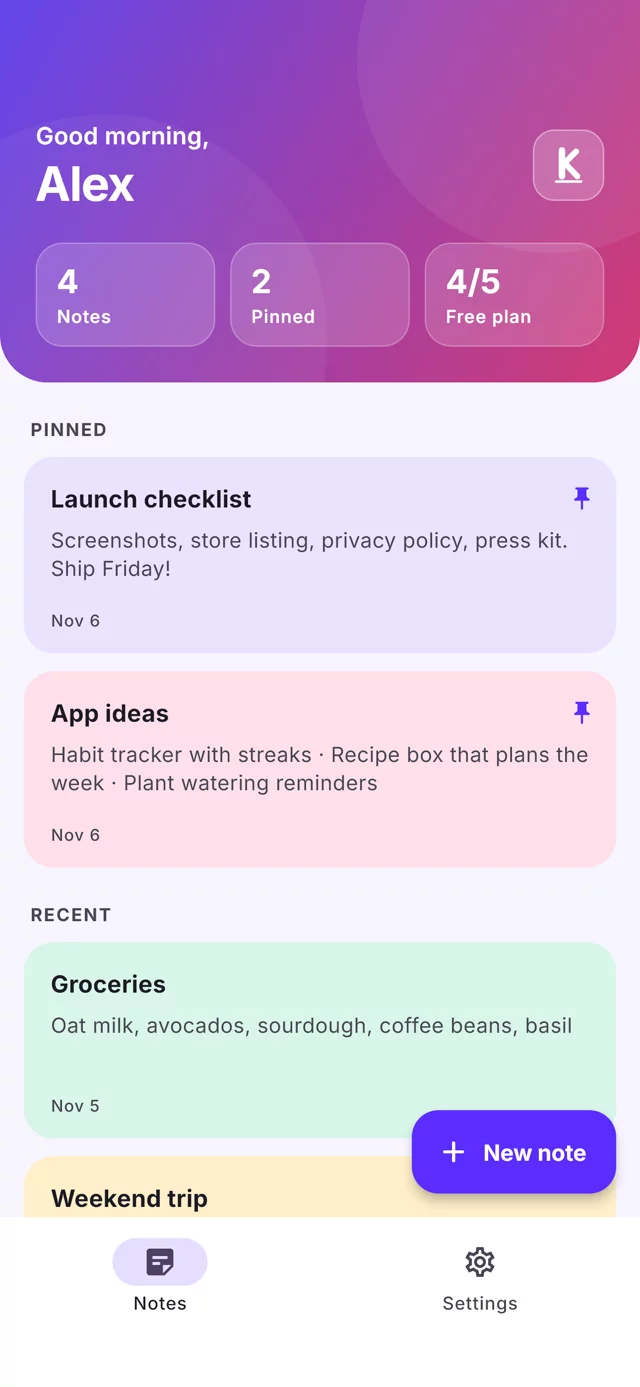
Ship your Flutter app this week: auth, data, paywall and i18n, ready to go.
A production-ready Flutter starter kit for Appwrite. It runs before you configure anything, and you rebrand it from one file.
What's included
The first two weeks of every app, done properly.
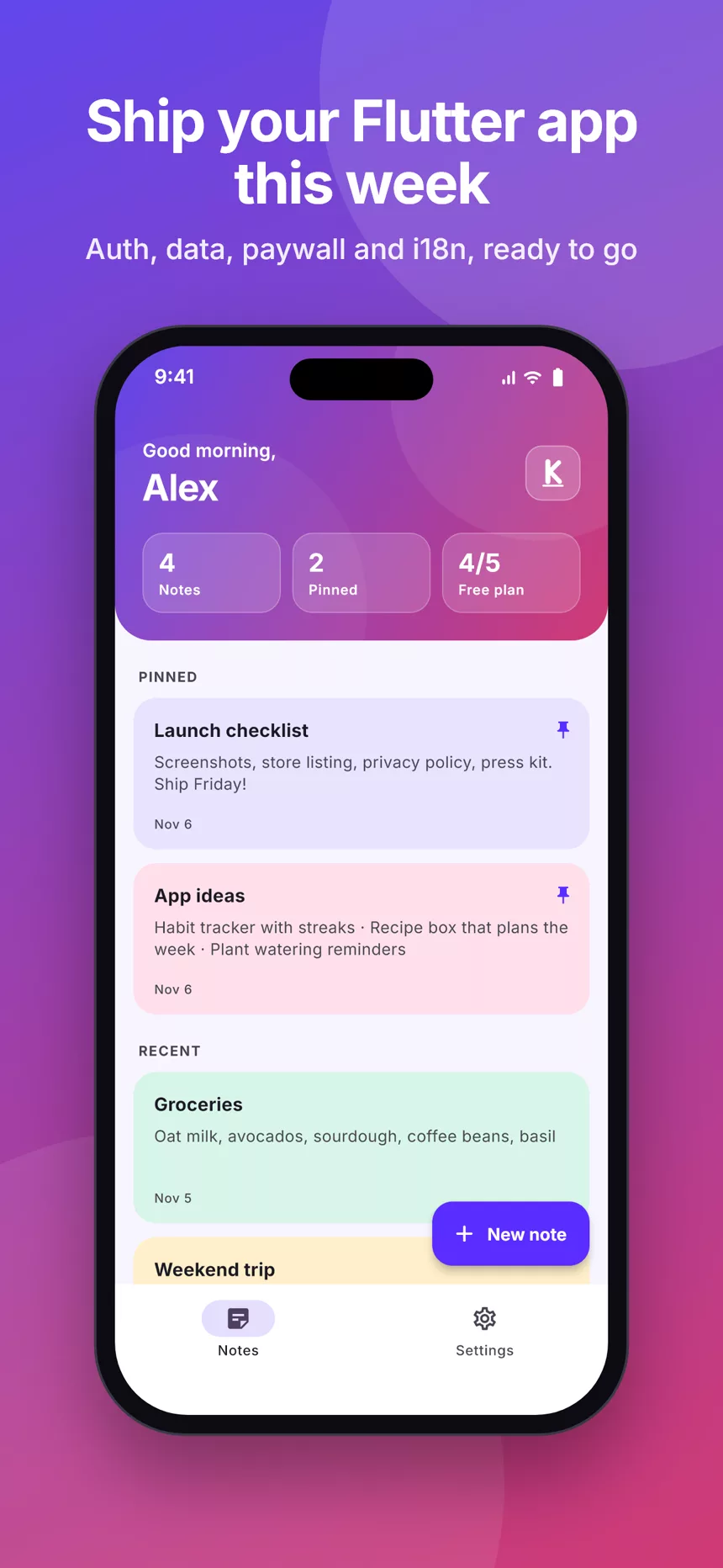
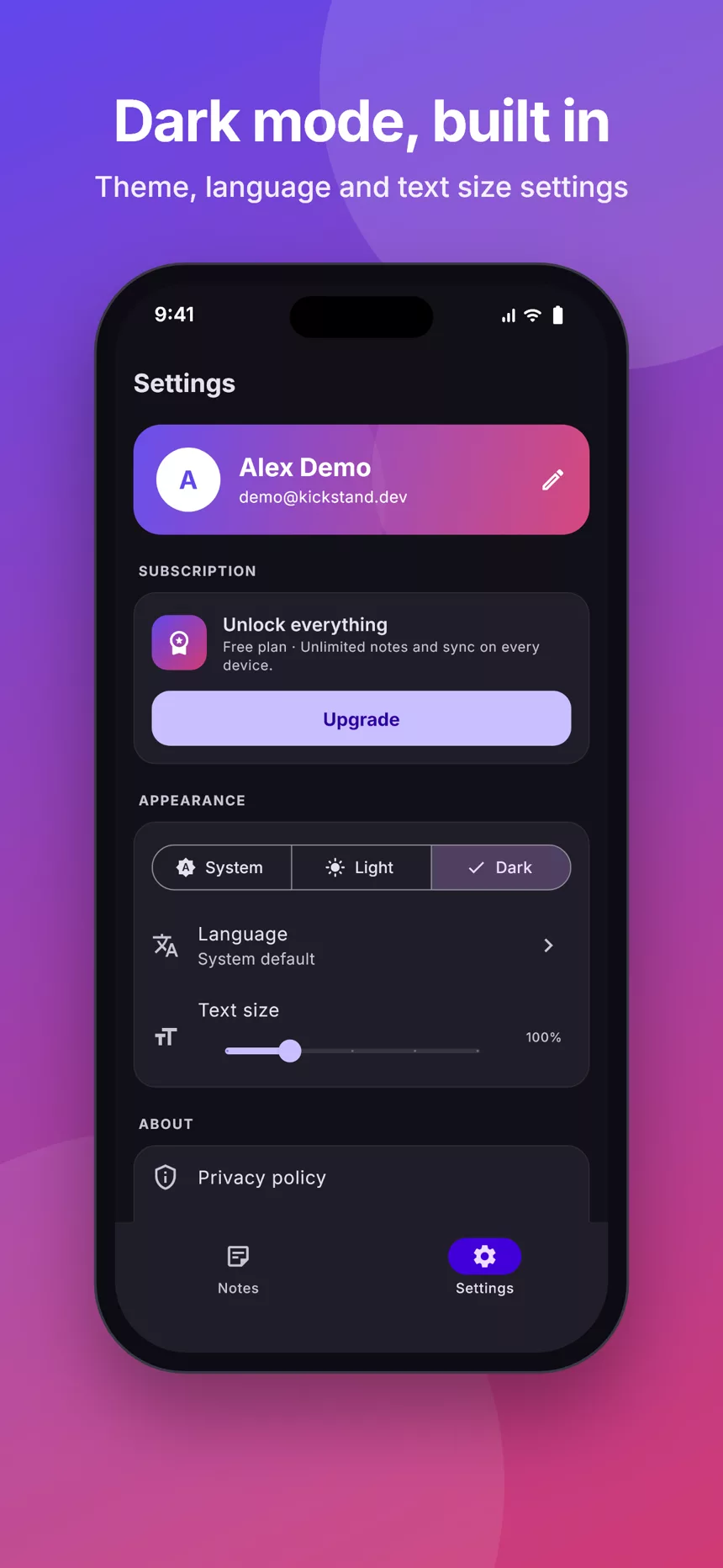
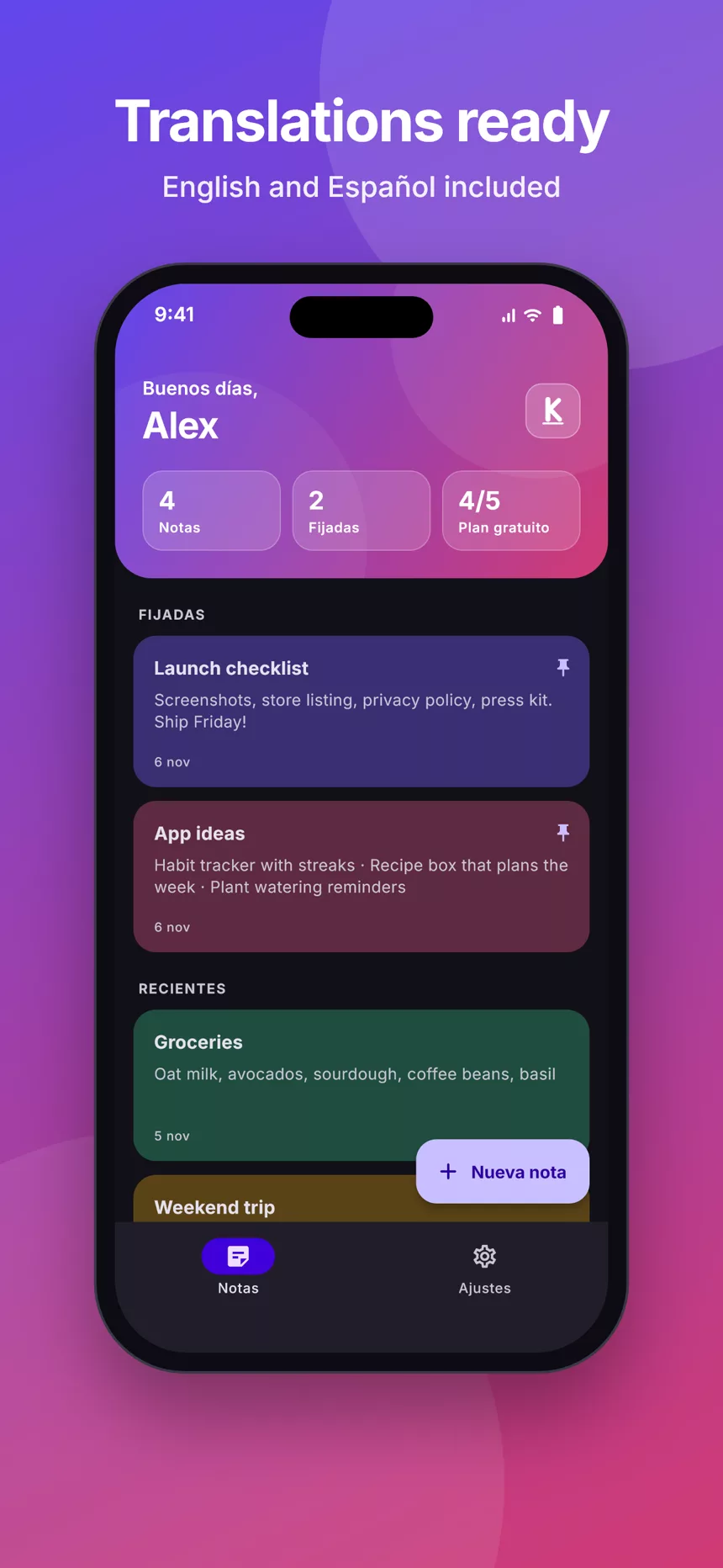
Sign-in, a router that knows who is signed in, settings, dark mode, translations, a paywall, account deletion, analytics, tests, CI. Start on the part of your app that is actually yours.
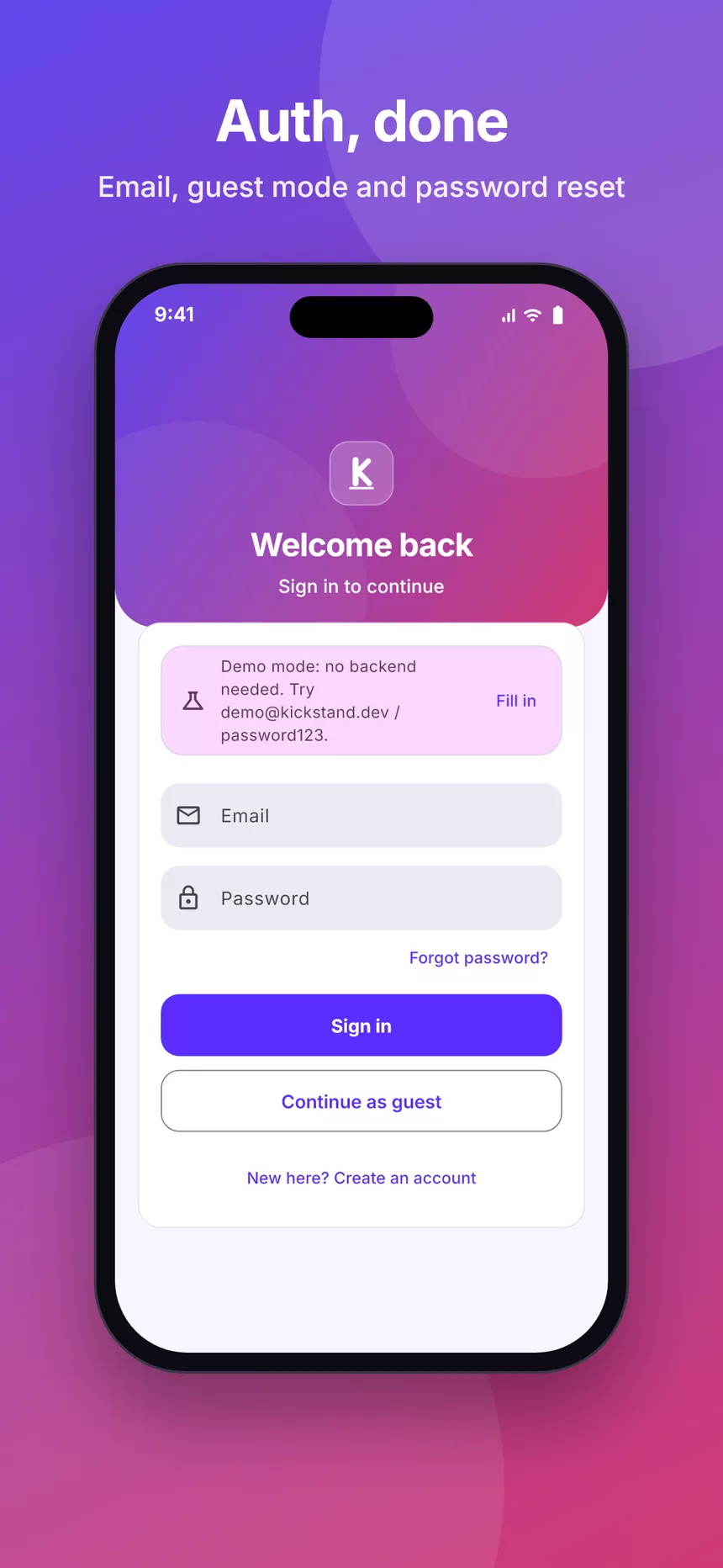
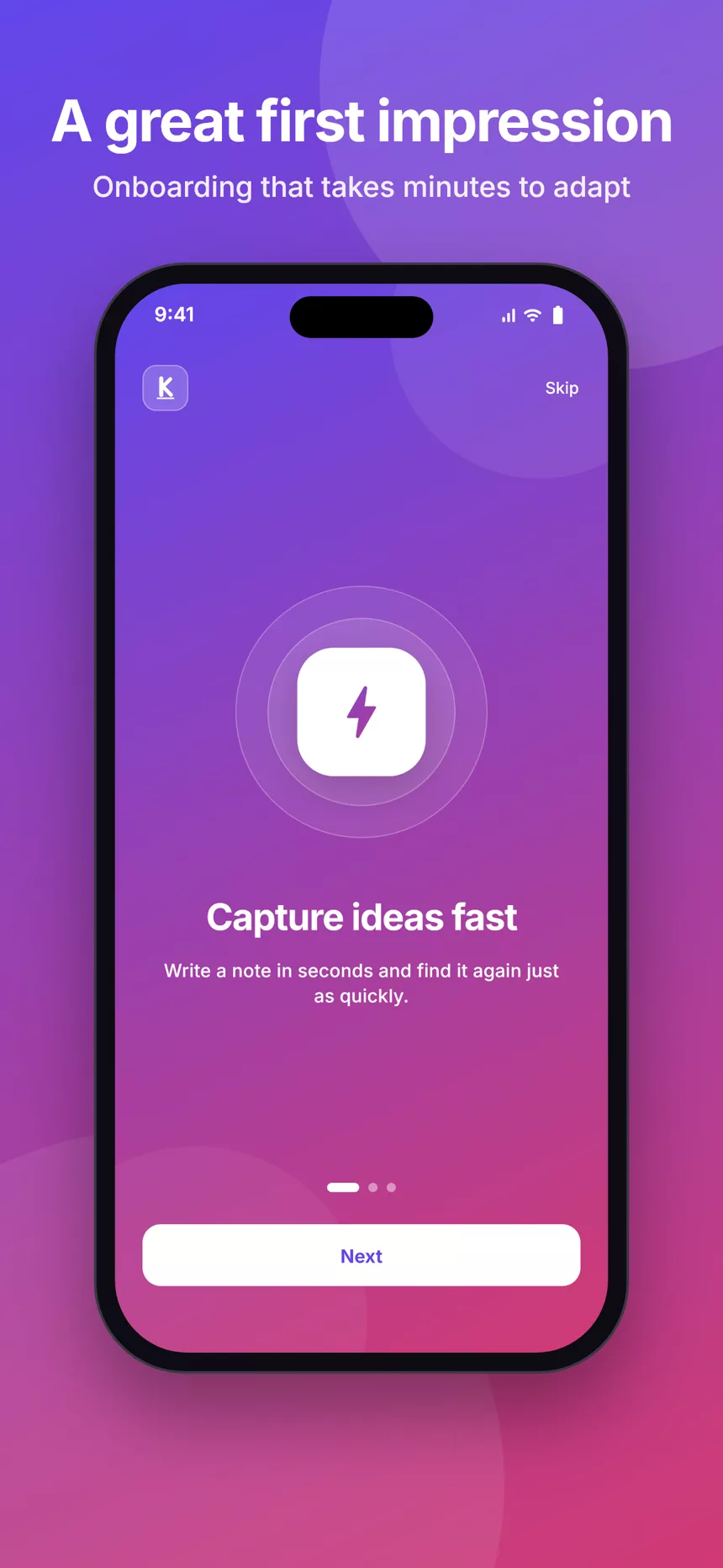
Onboarding, email sign-in and sign-up, guest mode, password reset, edit name, sign out and the in-app account deletion the stores require.
A built-in demo backend with a seeded account, so flutter run works straight away. Switch to Appwrite with one config file and one appwrite push.
Name, colours, font, icons and bundle IDs live in brand.yaml. One command applies them across Android, iOS and the web.
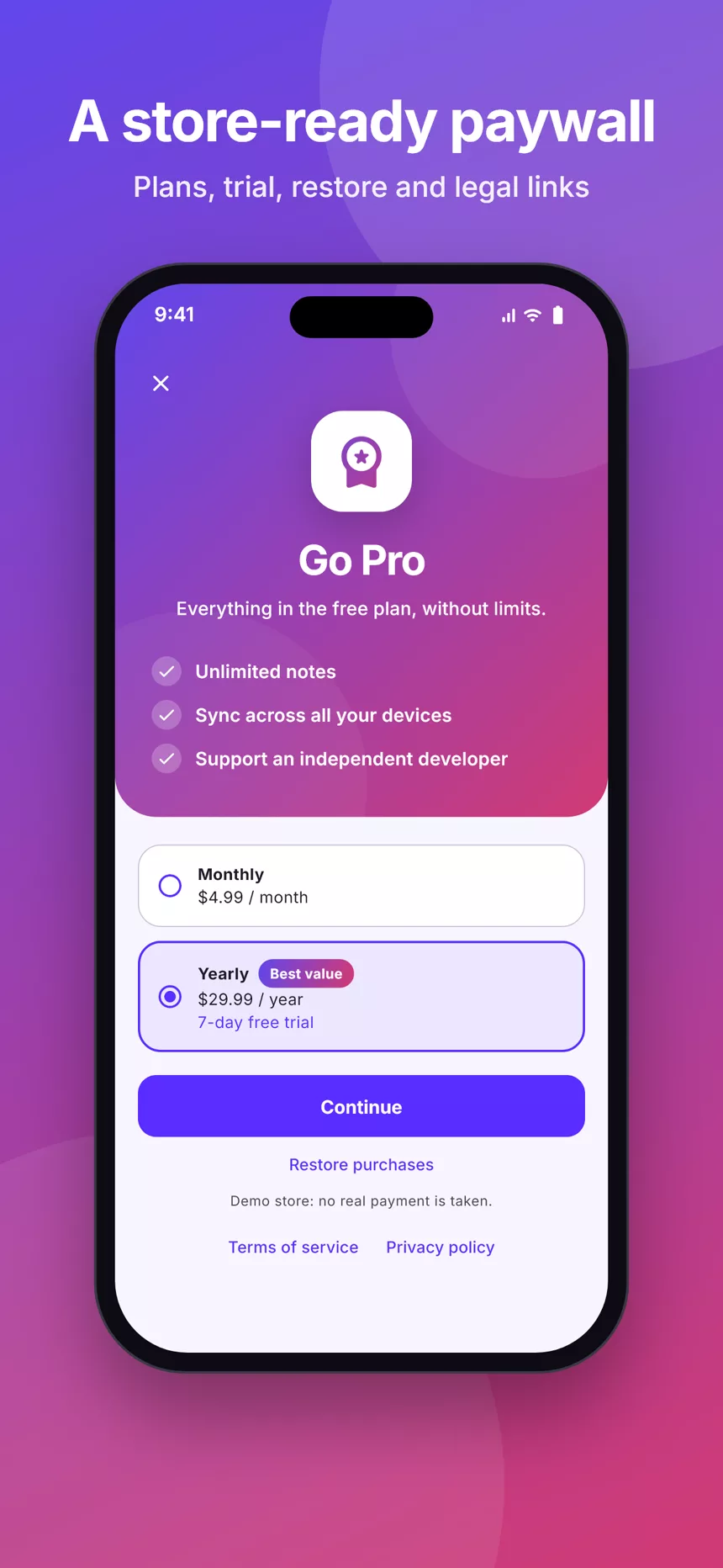
Monthly and yearly plans, trial badge, restore and legal links, plus a free-tier limit, behind an interface with a RevenueCat recipe.
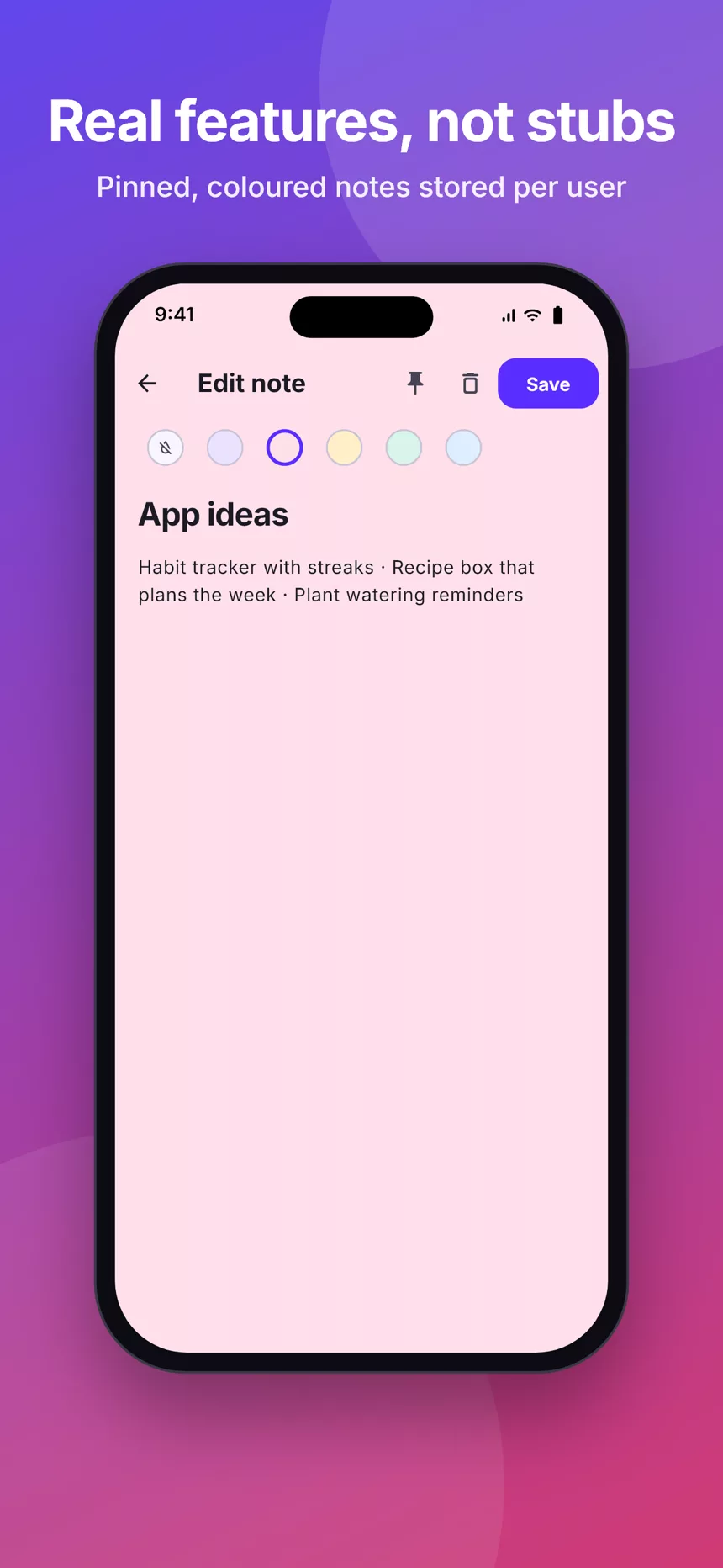
A sample feature on Appwrite TablesDB with row security, behind repository interfaces, so Firebase or Supabase is two classes away.
Interfaces with global error handling and screen views by route, with recipes for Firebase, Crashlytics, Sentry and PostHog.
Labelled controls, 48 dp tap targets, AA contrast and 200% text, checked by tests. Phone, tablet and desktop layouts.
One command renders framed App Store, Play and tablet screenshots from the real app, in your brand colours. Rerun it after every change.
Flutter 3.50 (material_ui), Riverpod 3, go_router 18, appwrite 28. 45 unit and widget tests, an integration test, CI and an optional release workflow.
Clear guides for you: Appwrite, customising, payments, analytics and releasing. For your AI agent: AGENTS.md, task skills and the Dart MCP server, for Claude Code, Codex, Cursor, Copilot and Gemini. One verify command checks both.
Phone, tablet and desktop.
Captured from the running app, light and dark.
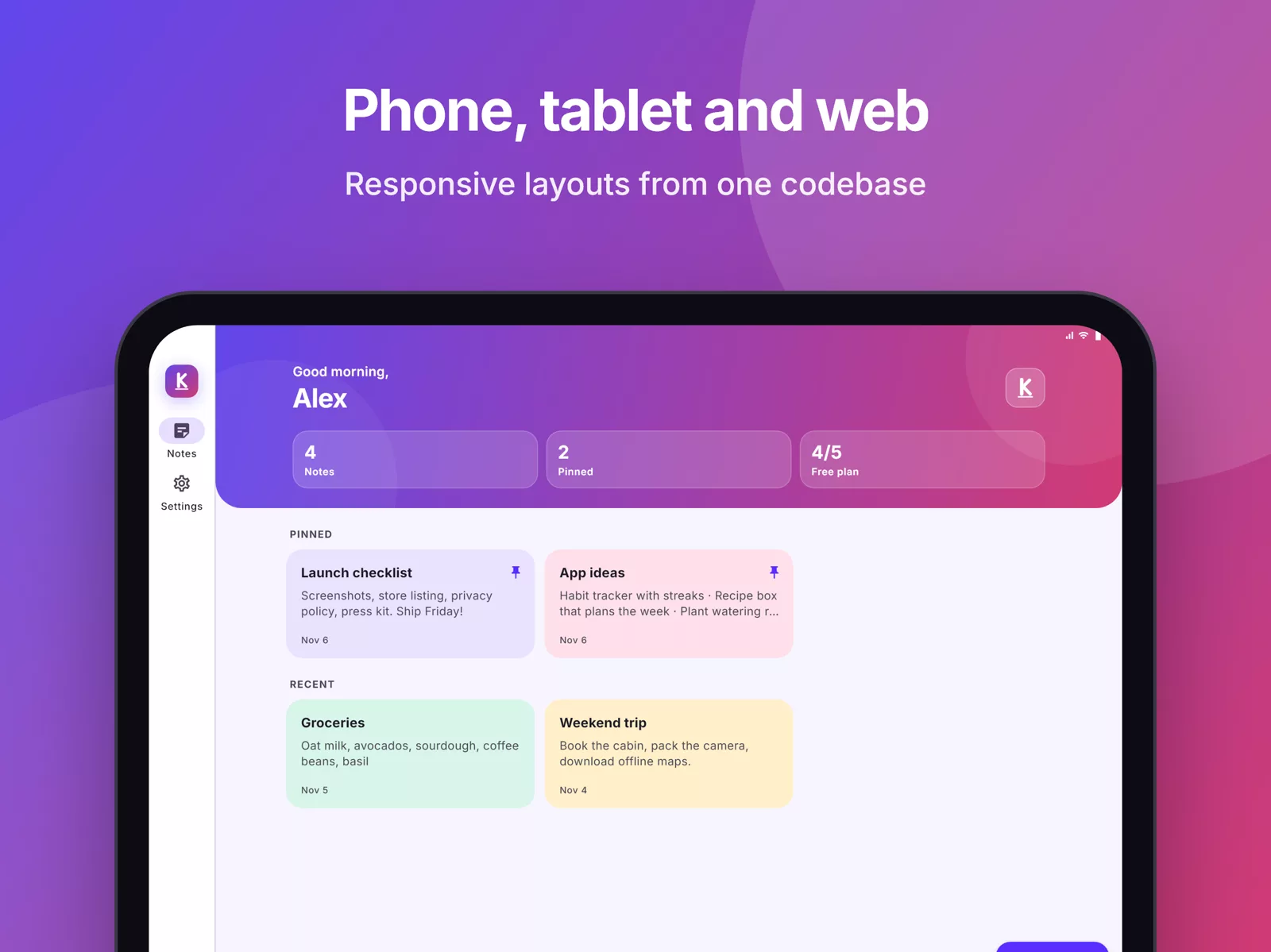
What's in the box
Clean architecture you can read in an afternoon.
Feature-first folders, each in four layers. Copy the notes feature to build your own. The full source, on current stable packages.
kickstand/
├── brand.yaml               # name, colours, font, icons, bundle IDs
├── AGENTS.md                # architecture and rules for you and your AI agent
├── CLAUDE.md · GEMINI.md    # import AGENTS.md
├── .claude/skills/          # add-feature, rebrand, add-language, store-screenshots,
│                            # change-navigation
├── .mcp.json                # Dart and Flutter MCP server
├── appwrite.config.json     # database, table, auth: one appwrite push
├── lib/
│   ├── main.dart            # error handlers, startup
│   ├── bootstrap.dart       # picks the backend: mock or Appwrite
│   ├── router.dart          # routes, auth redirects, deep links
│   ├── config/              # brand.dart (generated), env.dart
│   ├── core/                # theme, widgets, telemetry, validators
│   ├── features/
│   │   ├── auth/            # domain · data · application · presentation
│   │   ├── notes/           # the sample feature to copy
│   │   ├── paywall/         # PurchasesService + paywall
│   │   ├── settings/        # theme, language, text size
│   │   ├── onboarding/
│   │   └── home/
│   └── l10n/                # English and Spanish
├── test/                    # unit, widget, accessibility tests
├── integration_test/        # end to end on a device
├── tool/
│   ├── verify.dart          # every check in one command
│   ├── rebrand.dart         # applies brand.yaml
│   └── screenshots/         # framed store screenshots
├── docs/                    # Appwrite, customising, payments, analytics, release
└── .github/workflows/       # CI, optional signed release
Packages
Latest stable versions, no code generation, nothing exotic.
| Package | Version | Used for |
|---|---|---|
| Flutter | 3.50 | Android, iOS and web from one codebase |
| flutter_riverpod | 3.4 | State management, no code generation |
| go_router | 18.1 | Routing, auth redirects, deep links |
| appwrite | 28.2 | Auth and TablesDB |
| shared_preferences | 2.5 | Settings and the offline demo backend |
| intl + flutter_localizations | 0.20 | Translations and formatting |
| url_launcher | 6.3 | Legal, support and store links |
What it took to build
~130 hours of work, for $68.
Even with an AI agent, a foundation like this takes days of a developer's attention: deciding, reviewing, fixing. We did that once, so you don't have to.
$6,500 of developer time
~130 hours
Over 3 full-time weeks for an experienced Flutter developer, before your first feature.
$1,246 of time and tokens
~24 hours
What it took us: 3 working days directing, reviewing and fixing, plus ~$46 of tokens. Assumes you know exactly what to build.
$68 once
Today
Rebrand from one file and connect Appwrite, then build your own features from day one. Every 1.x update included.
Time valued at an example rate of $50 an hour. Use your own rate: the hours are what matter.
| Part | Hours |
|---|---|
| Sign-in, sign-up, guest mode, reset, account deletion, route guards | 20 |
| Appwrite data layer and the offline demo backend | 16 |
| Settings, dark mode, theming, phone/tablet/desktop layouts | 16 |
| Paywall and the payments interface | 12 |
| 45 tests, including accessibility checks | 20 |
| English and Spanish translations | 6 |
| Rebrand script, icons, store screenshot generator | 20 |
| CI, analytics and crash-reporting hooks | 8 |
| Docs, AGENTS.md and task skills for AI agents | 12 |
How we built it
With Claude Opus 5.5 in Claude Code, a developer making every product call, and nothing counted as done until the formatter, analyzer and tests passed. Measured from the session:
- lines of Dart
- 6,800
- lines of Dart
- tests passing
- 45
- tests passing
- commits to 1.0.0
- 27
- commits to 1.0.0
- AI tokens processed
- 131M
- AI tokens processed
Where the tokens went (~$46 at API prices)
| Tokens | Count | Cost |
|---|---|---|
| Output (code and text written) | 449K | $8.98 |
| Cache writes | 1.4M | $11.37 |
| Cache reads (re-reading the project) | 129M | $25.79 |
Anthropic API list prices for Claude Opus 5.5. The session also covered research, the licence and this page. The tokens were the cheap part; the developer's time was not.
The by-hand hours are our estimate, not a measurement. The AI numbers are measured.
Licences
One-time payment. Unlimited apps.
Prices in USD. Checkout by Stripe.
For an indie developer or freelancer.
- 1 developer
- Unlimited apps, including client work and SaaS
- Full source: Android, iOS and web
- Every 1.x update
- Email support for setup and bugs
- One-time payment, no subscription
For a studio or company, in one organisation.
- Up to 10 developers
- Unlimited apps, including client work and SaaS
- Full source: Android, iOS and web
- Every 1.x update
- Email support for setup and bugs
- One-time payment, no subscription
You get a GitHub invitation to the private repository within 24 hours. Solo can be upgraded to Team by paying the difference.
1
Buy
Pay securely through Stripe. Keep your receipt: its number is your licence reference.
2
Get access
Within 24 hours, the GitHub username you gave at checkout is invited to the private Kickstand repository.
3
Run
flutter pub get && flutter run starts it in demo mode. Then
edit brand.yaml and make it yours.
Questions
Do I need Appwrite to try it?
No. It runs fully offline in demo mode with a seeded demo account.
How do I get it?
Checkout is by Stripe and asks for your GitHub username (Team asks for each teammate’s). Within 24 hours of payment you get an invitation to the private Kickstand repository on GitHub.
Is there a licence key?
Your Stripe receipt number is your licence reference, for support, updates, upgrades and transfers. The code has no licence check and your apps never need it.
Solo or Team?
Solo if you are the only developer who touches the code; Team for up to 10 developers in one organisation. Upgrade any time by paying the difference.
Can I use it for client projects?
Yes, on both licences, for any number of clients. You can hand each client the source of the app you built for them.
How do updates work?
Every 1.x release is included and published in the repository. Watch its releases on GitHub to be notified.
Can I use Firebase or Supabase instead?
Yes: implement two repository interfaces. The customisation guide shows where.
Does it take real payments?
The paywall is wired to an interface with a demo store. Connect RevenueCat or the store SDKs following the payments guide.
Tabs or a drawer?
It ships with bottom tabs on phones and a side rail on tablets and desktop. To add a tab or switch to a drawer, a drawer plus tabs, or a sidebar, ask your agent: the change-navigation skill walks it through the routes, tests and screenshots.
iOS?
Yes. Building for iOS needs a Mac with Xcode, as with any Flutter app.
What can’t I do?
Resell or publish the source itself as a template or starter kit, or put it in a public repository. The full licence is in the download.
Start on the part that's yours.
Sold by Popup Bits Pvt. Ltd.. Support: popupbits@gmail.com. Payments processed by Stripe.