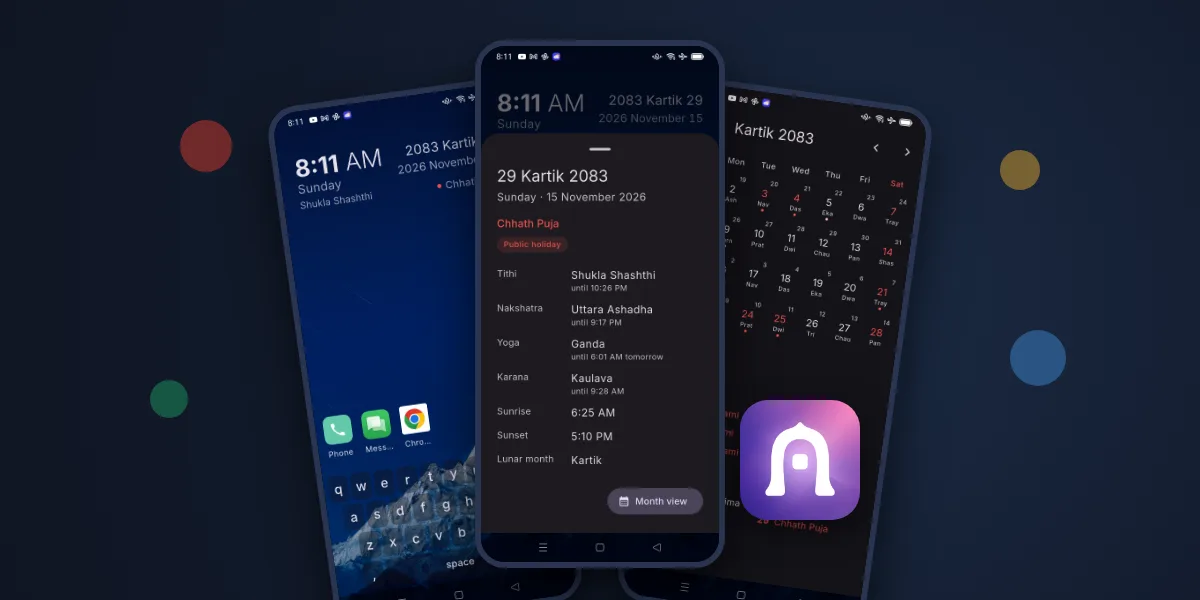
Aakar now puts the Nepali patro on your home screen
Aakar Launcher 1.4.8 shows the Nepali date, tithi and festivals on your home screen, with a day sheet, a month patro and widgets. Plus smarter search and faster native calls.
By Damodar Lohani
Most of us check two calendars. The phone shows the English date; the patro on the wall, or a separate app, tells you the Nepali date, the tithi and whether tomorrow is Ekadashi. With the latest Aakar Launcher, you don’t need the second one. The patro is on your home screen.
The Nepali date, tithi and festivals at a glance
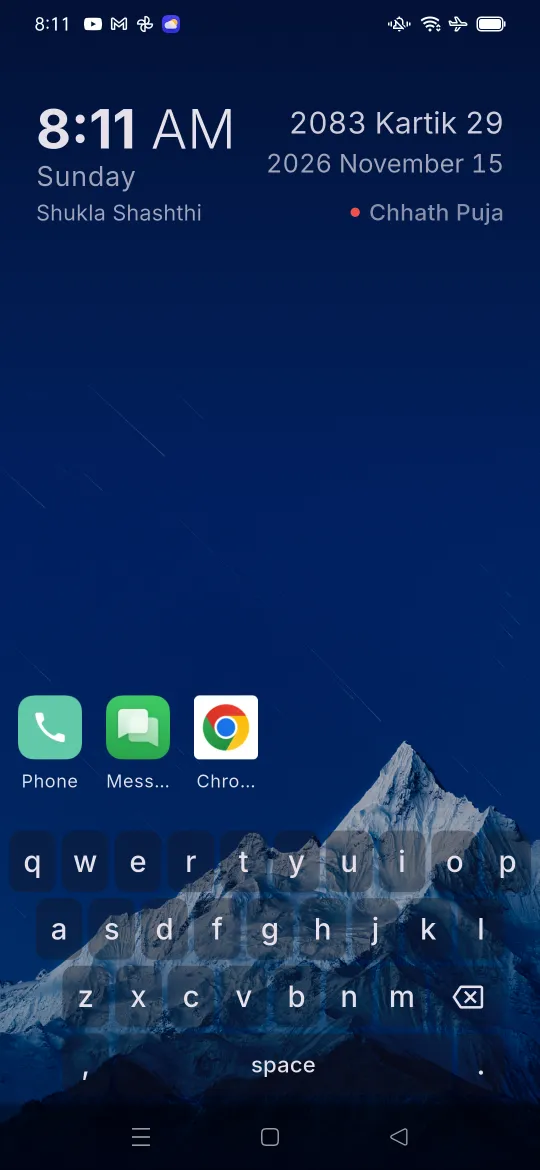
Under the clock, Aakar shows today’s Bikram Sambat date beside the English one, with the tithi (for example, Shukla Shashthi). Today’s festivals appear just below, and a public holiday is marked with a dot. If tomorrow is Ekadashi, Purnima, Aunsi or a festival, you get a gentle “Tomorrow: …” heads-up a day ahead, so a fast or a puja never surprises you.
Prefer it tidier? In Settings › Home you can move the tithi under the weekday, or turn the tithi and the festival line on and off separately.
Tap the date for the whole day
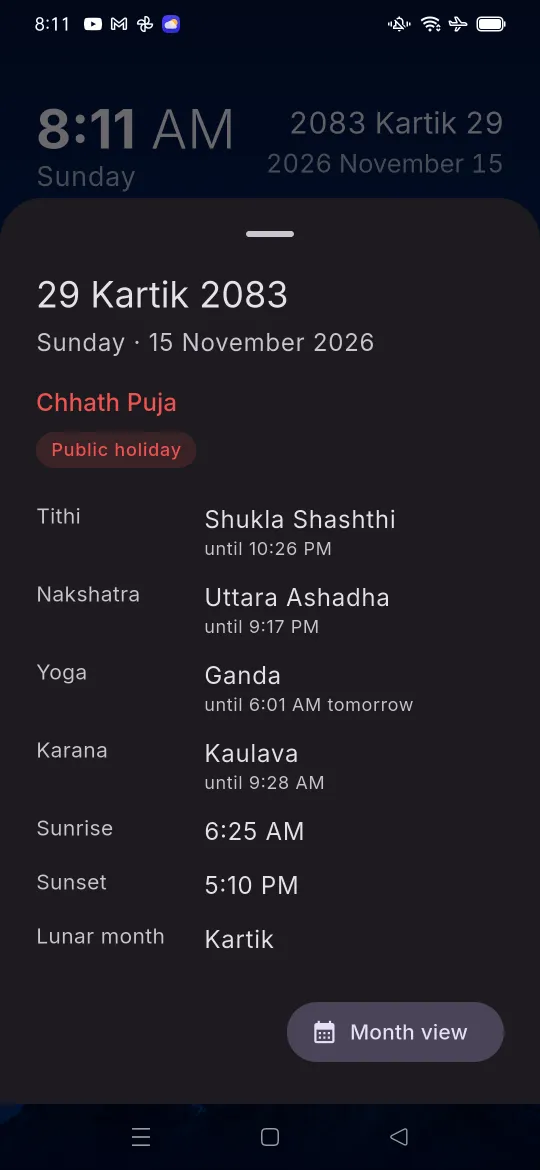
Tap the date and a day sheet opens with everything a patro gives you:
- the tithi and when it ends
- nakshatra, yoga and karana
- sunrise and sunset, in 12- or 24-hour time as you set it
- the lunar month
- today’s festivals, with public holidays marked, and tomorrow’s heads-up
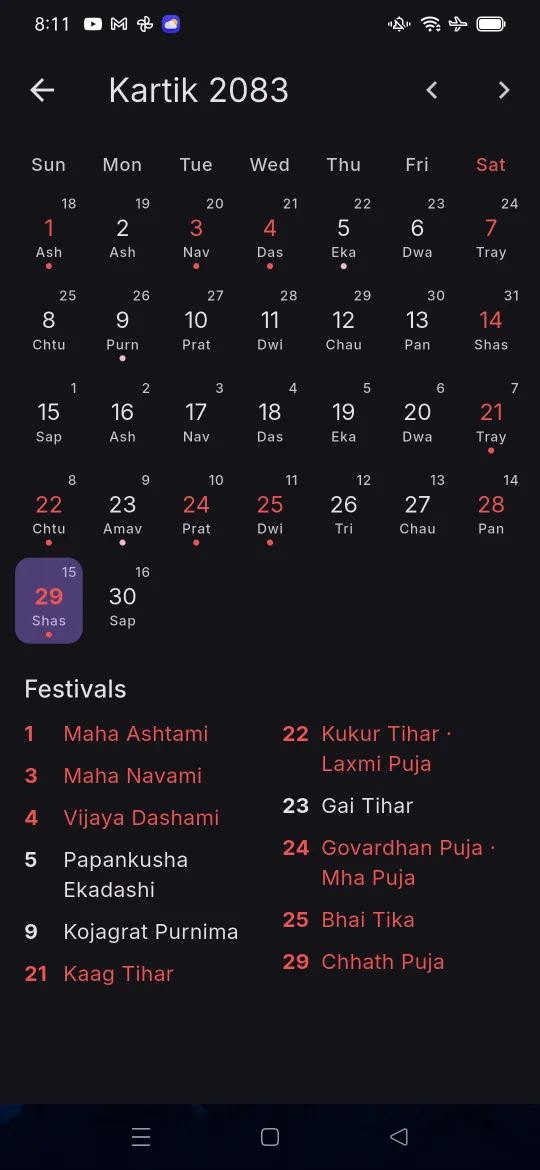
From there, open the month view: a Bikram Sambat grid with the English day in each cell, the tithi, festival and holiday marks, and today highlighted, plus a list of the month’s festivals.
The panchanga is calculated for Kathmandu and ships inside the app for BS 2083 and 2084, so it works offline. Use the app in Nepali and you see Devanagari, with Nepali weekday names on the clock. Use it in English and festivals, nakshatra, yoga and karana are written in English letters.
Widgets, even on the lock screen
Two Nepali date widgets show the date and weekday, or just the date, with the tithi and, when there is room, today’s festival. They update at Nepal midnight, and tapping one opens the month patro. On Android 16 QPR2 and later you can put them on the lock screen too.
Search that learns what you open
Search now puts the apps you open most at the top, whether you opened them from search, the app drawer or the home screen. It also matches package names, so typing a vendor’s name finds its apps. Type a phone number and Aakar offers to call it or send a message, and contacts have a message button beside call.
Smaller fixes
- Long-press menus stay inside the screen.
- Notification badge counts are more accurate, and separate for work-profile apps.
- Less reloading when you come back to the home screen, and no background work while the launcher is hidden, so your battery rests properly overnight.
For developers: faster native calls (JNI)
A launcher talks to Android constantly: the app list, shortcuts, contacts, badge counts. Aakar used to do this through Flutter’s platform channels. With JNIgen now stable in Flutter 3.50, Aakar calls its Kotlin code directly over JNI. Quick calls run straight from Dart, and the heavier ones, like loading the app list, still run in the background and call back, so nothing blocks the screen. Nothing changes on the surface; there are just fewer hops between Dart and Android.
We are writing up how we did it, with the trade-offs, in a deep dive for the Appwriters community: coming soon on appwriters.dev.
Try it
Aakar is free on Android, with no ads and no in-app purchases. Get Aakar Launcher on Google Play, set it as your home app, and turn on the Nepali date in Settings › Home. If a festival date looks wrong for your area, tell us and we will fix it.